Quick Summary:
A cross-platform app shares code, while iOS and Android run it under very different rules. iOS brings a tight version spread and strict App Review, while Android brings wide device and OS fragmentation plus Google Play quality thresholds. The strongest plan shares business logic tests and splits locators, permissions, background behavior, performance baselines and security checks by platform. AI then cuts the extra upkeep through self-healing, visual checks and risk-based device selection.
Table of Contents:
- Introduction
- Why Cross-Platform Mobile Apps Need Different Strategies? 5 Ways iOS and Android Differ Under the Hood
- Testing iOS Apps: 4 Priorities
- Testing Android Apps: 4 Priorities
- What Cross-Platform Teams Should Share and Split
- 3 Ways AI Mobile App Testing Supports Both Platforms
- Final Say
- FAQs
A shared codebase does not eliminate the need for separate iOS and Android testing. Each operating system handles permissions, background execution, device hardware, and interface behavior differently.
Cross-platform teams can reuse business logic tests while maintaining platform-specific checks for compatibility, performance, security, and release compliance.
The audience is enormous.
Sensor Tower counted nearly 150 billion app downloads in 2025, with consumer spending up 10.6% to $167 billion. StatCounter puts Android at 69.17% of the global mobile market in September 2026 and iOS at 30.81%.
Frameworks such as React Native and Flutter let a team write most of the app once. The operating system underneath still decides how that app starts, sleeps, asks for permissions, and renders each frame.
Hence, a shared codebase calls for a shared test core and two platform strategies around it. Here is what each platform needs, and where AI helps both.
ImpactQA tests mobile applications across devices, OS versions, and user journeys.
Why Cross-Platform Mobile Apps Need Different Strategies? 5 Ways iOS and Android Differ Under the Hood
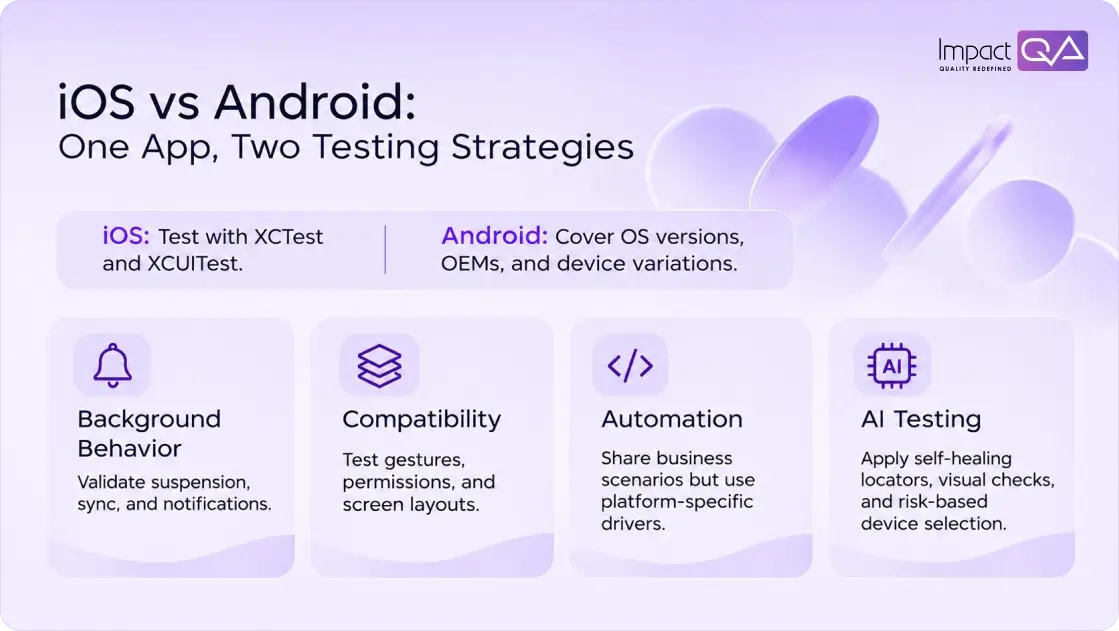
1. OS Version Spread
Apple reported that 79% of all iPhones ran iOS 26 on 7 June 2026, rising to 86% of iPhones from the last four years.
Android spreads wider.
Android Studio data from 19 October 2026 shows Android 16 at 25.4%, Android 15 at 14.7%, Android 14 at 15.3% and Android 13 at 11.8%.
OS Coverage % = Sum of Market Share for Each Version Tested
Testing Android 13 through 16 covers about 67.2% of the distribution shown above. However, OS version coverage alone does not represent complete device coverage. Teams should also consider manufacturer, model, screen size, hardware capabilities, and their own application analytics when selecting test devices.
2. Hardware Variety
Apple designs a small family of iPhones and iPads around its own chips.
Android runs on thousands of models from many manufacturers, each with its own skin, such as Samsung’s One UI.
These skins adjust battery management, notifications and camera behavior.
So a flow that passes on a Pixel deserves a second run on the Android brands your users carry.
3. Background Behavior
iOS suspends an app soon after the user leaves it, and background work runs through scheduled tasks that the system times.
Android uses Doze mode and App Standby Buckets, which group apps by recent use and ration their background work.
Since Android 14, every foreground service must also declare a type, such as location or media playback.
Tests should cover push notifications, background sync and session restore after the system closes the app.
4. Permissions and Privacy
iOS asks for tracking consent through App Tracking Transparency and expects a privacy manifest that declares data use.
Android grants permissions at runtime and, since Android 13, asks separately before showing notifications.
Each prompt is a branch in the user journey, so test the accept path and the decline path on both platforms.
5. Interface Conventions
Android users rely on a system back gesture, while iOS users swipe from the screen edge inside the app.
Apps targeting Android 15 display edge to edge by default, and iOS layouts must respect safe areas around the Dynamic Island.
Accessibility differs too, with VoiceOver on iOS and TalkBack on Android.
Testing iOS Apps: 4 Priorities
Apple’s ecosystem brings a smaller matrix and stricter gates.
1. Native Frameworks First
XCTest runs unit tests, and XCUITest drives the interface through the accessibility layer.
Assign an accessibility identifier to every interactive element, since that identifier becomes the most stable locator a script can use.
2. Simulators for Speed, Devices for Truth
The iOS Simulator runs on a Mac’s processor, which makes it fast for functional checks in the pipeline.
Camera capture, Face ID, push delivery and real performance need physical iPhones.
A practical split runs every build on simulators and every release candidate on devices.
3. TestFlight Betas
TestFlight lets a team share a build with up to 10,000 external testers.
Each build stays available for 90 days, with crash reports and screenshots flowing back to the team.
4. App Review Readiness
Tool focus: Store compliance
Apple evaluated more than 9.1 million submissions in 2025 and approved roughly 78% of them.
Privacy topped the rejection reasons, with more than 443,000 submissions returned for privacy issues.
Since 28 April 2026, uploads must be built with Xcode 26 and the iOS 26 SDK.
So check privacy manifests, permission purpose strings and every in-app purchase flow before submission.
Testing Android Apps: 4 Priorities
Android rewards a data-driven device plan.
1. A Device Matrix Built From Analytics
Start with your own install data, then rank models by active users and crash volume.
Include major OS versions, at least two leading manufacturers, a low-memory device, and a large-screen or foldable model where relevant. Review the matrix quarterly and update it when analytics or crash reports reveal new compatibility risks.
2. Espresso and UI Automator
Espresso runs inside the app and waits for the main thread to go idle, which keeps tests stable.
UI Automator reaches outside the app, so it handles system dialogs such as permission prompts and the notification shade.
3. Android Vitals Thresholds
Google Play sets a bad-behavior threshold of 1.09% for user-perceived crash rate and 0.47% for user-perceived ANR rate.
An ANR, or Application Not Responding error, appears when the main thread stays blocked long enough to freeze the screen.
A separate 8% threshold applies to each phone model.
Google Play uses these thresholds as quality signals. Apps that exceed them may receive store warnings or reduced discoverability, while individual device models can face additional visibility restrictions. Regular stability testing helps teams identify problems before they affect users.
4. Target API Compliance
Since 31 August 2026, new apps and app updates submitted to Google Play must target Android 16 (API level 36), subject to the applicable extension deadlines. Existing apps have separate target API requirements for continued availability to new users.
Android 16 also changes how apps behave on large screens. Apps targeting the new release must account for expanded resizing and orientation behavior, making tablet and foldable regression testing important.
What Cross-Platform Teams Should Share and Split
A good strategy keeps one source of truth for business behavior and two lanes for platform behavior.
S. No. |
Share across platforms |
Split by platform |
| 1. | Unit tests for business logic | UI locators and gestures |
| 2. | API contract tests | Permission and privacy flows |
| 3. | Test data and BDD scenarios | Background and notification tests |
| 4. | Release criteria | Store compliance and performance baselines |
1. Mobile App Automation Testing
Write each scenario once in business language.
Then run it through Appium using the appropriate native driver: XCUITest for iOS and UiAutomator2 for Android. Maintain separate page objects where locators, gestures, or platform interactions differ.
In React Native, a shared testID can map to platform-specific accessibility identifiers or view properties. Teams should verify these mappings on both platforms rather than assume identical behavior.
2. Mobile App Performance Testing
Measure cold start time, memory, battery drain and frame rendering on each platform.
Jank Rate % = (Frames Over Budget ÷ Total Frames) × 100
At 60 Hz, each frame has about 16.7 milliseconds, and at 120 Hz the budget drops to about 8.3 milliseconds.
Use this as a simplified project-level metric, since native performance tools may classify slow and frozen frames differently.
Profile iOS builds with Xcode Instruments and Android builds with the Android Studio Profiler.
3. Mobile Application Security Testing
Verizon’s 2025 Mobile Security Index found 85% of organizations report rising mobile attacks, and 89% now hold a dedicated mobile security budget.
Use the OWASP Mobile Application Security Verification Standard (MASVS) as the shared checklist.
Then test each platform’s own controls: the Keychain on iOS, the Keystore on Android, certificate pinning and jailbreak or root detection.
Mobile application security testing services should run static and dynamic analysis on both binaries, since each build compiles differently.
3 Ways AI Mobile App Testing Supports Both Platforms
AI mobile app testing now adds speed where the two lanes create extra work.
1. Self-Healing Locators
When an interface element changes, AI compares its remaining attributes and suggests a replacement locator. Engineers review the proposed match before updating the test, since an incorrect locator can produce a false pass.
2. Visual Comparison Across Screens
Visual AI compares screenshots across devices and identifies layout changes such as clipped buttons, overlapping text, or misplaced elements. Teams can use these checks to validate notches, foldable displays, and Dynamic Type settings while filtering minor rendering differences.
3. Risk-Based Device Selection
AI tools for mobile app testing can rank device and test combinations using crash reports, application analytics, and recent code changes. The pipeline then prioritizes combinations with the highest predicted failure risk, helping teams use their device-testing time more effectively.
AI-assisted mobile app testing can reduce repetitive maintenance and help teams prioritize coverage. However, engineers must review suggested repairs and investigate flagged differences before approving test results.
ImpactQA identifies security risks across iOS and Android apps.
Final Say
Mobile app quality depends on how well an application performs across operating systems, devices, and user environments. A shared codebase simplifies development, but it does not remove platform-specific testing requirements.
Teams that reuse business logic tests and maintain separate iOS and Android validation can improve coverage without duplicating their entire automation suite.
ImpactQA provides mobile application testing services for native, hybrid, and cross-platform applications. Our capabilities include testing across 120+ real devices and platform setups, automation using Appium, Espresso, XCUITest, and Detox, network testing from 2G to 5G, and AI-powered test generation with risk-based prioritization.
Get an inside look at the strategy behind the success.
Frequently Asked Questions (FAQs)
Share this post


Related Posts
Our Case Studies