Automation in Testing SAP S/4HANA Cloud ERP: Tools and Techniques

How can businesses achieve the highest quality and reliability of their SAP S/4HANA Cloud-based ERP system at a lower manual testing cost and time? With organizations increasingly adopting SAP S/4HANA Cloud ERP, the need to improve testing practices has never been more palpable. Traditional manual testing approaches often fall short when it comes to ensuring speed, accuracy, and the ability to scale. So, how do you bridge this gap?
Automation in testing no longer falls under the “nice to have” category but is a necessity. It provides a way to run repetitive tasks with precision, improving coverage and reducing human errors. But then how does automation get implemented in SAP S/4HANA?
In this blog, we will explore the tools and techniques to automate testing in SAP S/4HANA Cloud and how it results in improved system performance, faster deployments, and mitigated business risks.
The Importance of Testing in SAP S/4HANA Cloud ERP
Before diving into automation, let’s first understand why testing in SAP S/4HANA Cloud ERP is important. SAP S/4HANA Cloud, with its advanced functionalities and capabilities, integrates multiple aspects of business processes. From finance and procurement to customer service and supply chain management, it centralizes various business functions into one system. However, with this complexity comes a challenge — ensuring that every module functions as intended.
Manual testing in SAP S/4HANA can be time-consuming and prone to human error, especially as updates and new functionalities are continuously introduced. The testing phase becomes even more critical when considering system performance, data integrity, compliance, and security. Any flaw can lead to significant business disruptions, compliance risks, or a lack of user satisfaction.
This is where automation comes into play. It not only accelerates the testing process but also increases accuracy, reduces costs, and allows teams to perform tests more frequently. As a result, automation supports faster decision-making and improves overall productivity. It also helps ensure that SAP S/4HANA Cloud ERP works seamlessly across its wide range of functionalities.
Tools for Automating SAP S/4HANA Cloud ERP Testing
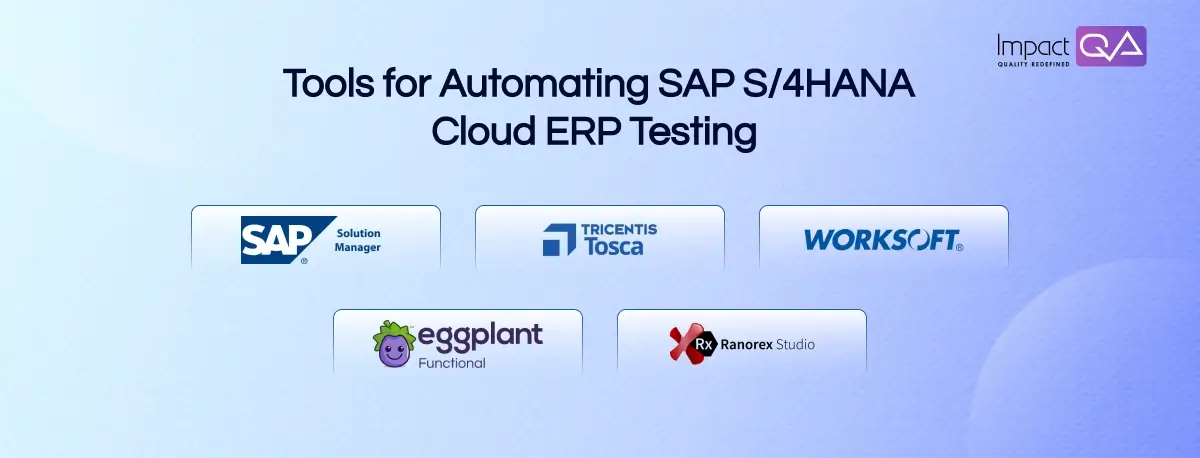
The right tools make all the difference when it comes to implementing automation successfully. Let’s take a closer look at some of the leading tools available for automating SAP S/4HANA Cloud ERP testing.
1. SAP Solution Manager
SAP Solution Manager is an integrated platform that simplifies testing processes for SAP applications. It includes features like test management, test execution, and defect management. This tool is especially useful for businesses already using other SAP solutions as it enables seamless integration and effective monitoring.
The test management feature of Solution Manager helps define and manage test cases, while the test execution framework allows automated test execution. As the backbone of SAP’s ecosystem, Solution Manager ensures that testing activities are well-documented and that every update or change in SAP S/4HANA is thoroughly validated. It also offers integrated performance monitoring, helping businesses ensure that the entire SAP S/4HANA Cloud ERP system remains stable and efficient.
Benefits:
- Seamlessly integrates with the SAP ecosystem.
- Supports comprehensive test management and documentation.
- Ensures updates and changes to SAP S/4HANA are rigorously validated.
2. Tricentis Tosca
Tricentis Tosca is one of the most popular tools for automating testing in SAP environments. Known for its model-based test automation approach, Tosca offers a powerful solution for regression testing, functional testing, and performance testing of SAP S/4HANA Cloud ERP. Tosca simplifies automation by allowing users to define test scenarios based on business processes rather than focusing solely on underlying code.
Tosca is highly scalable and integrates well with SAP S/4HANA. It supports both GUI and non-GUI testing, making it flexible for different types of application testing. The tool’s ability to automate complex SAP workflows is especially useful for organizations with large-scale SAP implementations.
Benefits:
- The model-based approach simplifies test design.
- Supports both GUI and non-GUI testing.
- Highly scalable and adaptable to large SAP implementations.
- Provides powerful regression testing capabilities.
3. Worksoft Certify
Worksoft Certify is another tool designed specifically for automating SAP S/4HANA testing. This tool offers a no-code, low-code automation framework, making it easier for users without deep coding knowledge to create and execute test scripts. Worksoft Certify excels in functional testing, regression testing, and integration testing.
Worksoft’s key strength is its deep integration with SAP and its ability to automate business process testing across a wide range of SAP applications. The tool also provides detailed reports that help teams identify defects and monitor the system’s performance, ensuring high-quality SAP implementations. Worksoft Certify’s intuitive design and business-centric approach make it an ideal choice for non-technical testers.
Benefits:
- No-code/low-code approach simplifies script creation.
- Deep integration with SAP applications.
- Great for functional and business process testing.
- Detailed reporting features for monitoring performance.
4. Eggplant Functional
Eggplant Functional uses AI-driven test automation to simulate user behavior and test SAP S/4HANA Cloud ERP applications. It leverages visual test automation to identify issues that may not be detected by traditional testing methods. Eggplant is useful for both SAP S/4HANA’s backend systems and its user interfaces, ensuring a holistic approach to testing.
The tool’s AI capabilities allow it to automatically adjust to changes in the application, reducing the need for manual intervention when updates are made. This makes Eggplant a highly efficient tool for businesses with fast-changing SAP landscapes. Eggplant also provides seamless integration with CI/CD pipelines, which allows for continuous testing within a DevOps framework.
Benefits:
- AI-driven testing simulates real user behavior.
- Identifies UI/UX issues that traditional testing may miss.
- Adaptable to rapid changes in the application.
- Integration with CI/CD pipelines for continuous testing.
5. Ranorex Studio
Ranorex Studio is a comprehensive test automation solution that supports testing across various SAP applications, including SAP S/4HANA Cloud ERP. It is especially effective for UI testing, including SAP Fiori and SAP GUI. Ranorex Studio allows testers to create and maintain automated test scripts using its GUI-based interface, which supports multiple scripting languages like C# and VB.NET.
One of Ranorex’s main strengths is its ability to integrate with a wide variety of testing tools, including CI/CD platforms, defect management tools, and reporting systems. This allows organizations to seamlessly incorporate test automation into their existing workflows. Its robust object recognition capabilities ensure that tests remain reliable even as the application undergoes changes or updates.
Benefits:
- GUI-based interface makes it accessible for non-technical testers.
- Supports multiple scripting languages (C# and VB.NET).
- Excellent for UI testing, including SAP Fiori.
- Integrates well with existing testing tools and CI/CD pipelines.
Techniques for Automating SAP S/4HANA Cloud ERP Testing
While tools provide the infrastructure for test automation, the right techniques are needed to make the process effective and reliable. Here are some techniques that help maximize the success of automated testing in SAP S/4HANA Cloud ERP.
1. Test Script Design
A crucial aspect of automation is the creation of test scripts. Poorly designed scripts can lead to ineffective tests and even more issues during the testing phase. For SAP S/4HANA, test scripts should be modular and reusable. This allows testers to quickly modify them for different scenarios and ensures that the automation effort remains scalable.
It’s also important to include both positive and negative test cases to ensure that the application performs as expected under all conditions. Functional, regression, performance, and security tests should be included in the automation suite to validate both the front-end user interface and back-end data processes.
2. Data-Driven Testing
In SAP S/4HANA, automated tests should incorporate data-driven testing methods. This technique involves running the same set of tests with different sets of data inputs to ensure that the system works across various scenarios. By automating tests with large datasets, businesses can ensure that data processing, storage, and analytics functions are robust and perform well under all conditions.
This technique is essential for testing large-scale SAP environments where user input or system data may vary widely. Data-driven testing helps identify potential performance issues, data inconsistencies, and incorrect outputs before they impact the production system.
3. Continuous Integration and Continuous Testing (CI/CT)
Integrating test automation into a Continuous Integration/Continuous Testing (CI/CT) pipeline is an excellent way to ensure that SAP S/4HANA Cloud ERP applications are always tested as they evolve. Whenever a new code is added, automated tests can be triggered to validate the changes immediately, helping teams detect issues early.
By implementing CI/CT practices, teams can avoid delays in the release process, detect defects faster, and reduce the risk of bugs reaching the production environment. It also promotes collaboration among development, testing, and operations teams, creating a streamlined workflow that supports agile methodologies.
4. Cloud-Based Test Automation
With SAP S/4HANA Cloud ERP running on the cloud, it makes sense to leverage cloud-based test automation tools. These tools offer scalability, flexibility, and easy integration with the cloud environment, which enables businesses to run tests from anywhere, anytime.
Cloud-based test automation tools like Tricentis Tosca and Selenium (used with cloud services like AWS) help organizations handle the dynamic nature of SAP S/4HANA Cloud ERP testing. They also allow for parallel test execution, significantly reducing the time required to run large test suites and accelerating the feedback loop.
Conclusion
The future of SAP S/4HANA Cloud ERP testing is undoubtedly driven by automation. As organizations continue to rely on these complex, integrated systems, ensuring their seamless functionality will require sophisticated tools and automation techniques.
The right automation tools and strategies can help businesses tackle the challenges associated with SAP S/4HANA Cloud ERP testing — from scalability to data accuracy and system performance. However, implementing automation is not a one-size-fits-all approach. It requires a tailored strategy, expert knowledge, and continuous optimization.
As a leading provider of quality assurance and testing services, ImpactQA helps organizations optimize their SAP S/4HANA Cloud ERP testing processes. With expertise in automation tools like Tricentis Tosca, SAP Solution Manager, and others, ImpactQA ensures that your SAP S/4HANA Cloud system is tested comprehensively, with minimal risk and maximum efficiency.
If you’re looking to improve your SAP S/4HANA testing processes, ImpactQA can provide the expertise, tools, and resources needed to achieve outstanding results that align perfectly with your organizational goals.
Share this post


Related Posts
Our Case Studies