Top Tools for Effective Automation Testing in SAP Environments

As organizations increasingly rely on SAP (Systems, Applications, and Products in Data Processing) to meet their enterprise resource planning (ERP) requirements, the need for robust automation testing tools has become essential. Founded in 1972, SAP has evolved from a small startup to a global powerhouse, employing over 105,000 people and supporting countless enterprises worldwide. SAP applications are integral to various business operations, from procurement to customer service, making the quality and reliability of these systems fundamental.
With SAP environments becoming more intricate, automation testing offers an indispensable approach to ensuring smooth performance and minimizing risks. The right testing tools allow businesses to conduct regression tests, validate integrations, and maintain high-quality standards across their SAP systems. This article explores the top automation tools for SAP testing, highlighting their features and benefits to empower teams in optimizing their testing processes for greater efficiency and reliability.
Why Automation Testing is Essential in SAP Environments
The comprehensive nature of SAP systems necessitates a rigorous testing strategy to maintain reliability across critical business processes. Traditional manual testing methods often struggle to keep up with SAP’s complexity, making automation an effective solution to ensure that new features and updates integrate seamlessly. Automation testing in SAP environments not only reduces the time and effort spent on repetitive tasks but also enables teams to identify issues early in the development cycle.
Automated testing tools are designed to manage and execute complex test cases, validate workflows, and simulate user actions across various SAP modules. By implementing the right automation testing tools, organizations can achieve faster releases, maintain a high standard of quality, and reduce costs associated with rework and defect management.
Key Features of Automation Testing Tools for SAP
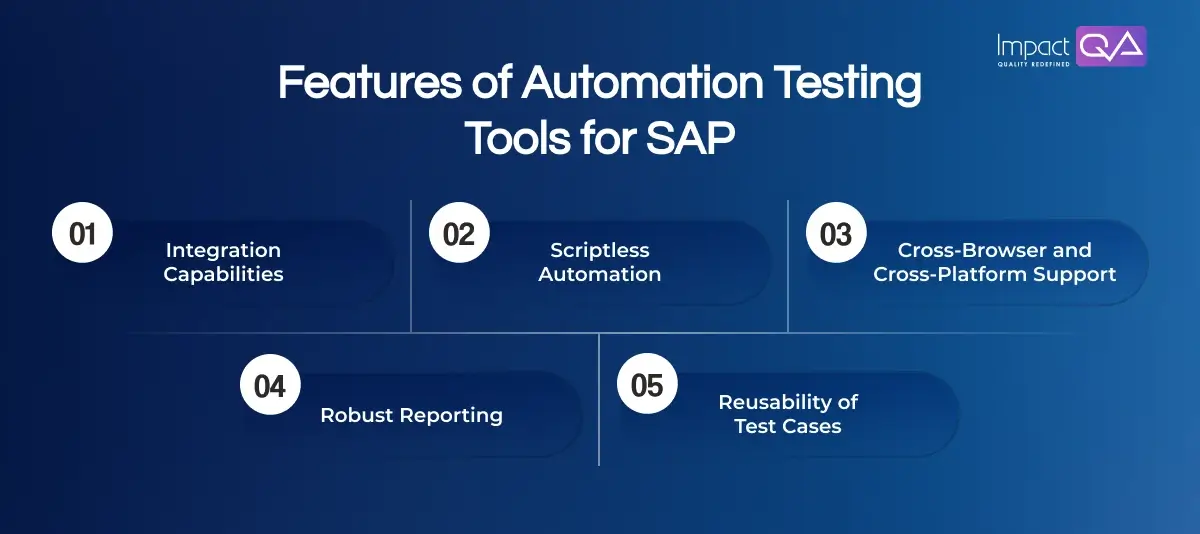
Before diving into specific tools, it’s important to understand the essential features that an automation testing tool should possess for SAP environments:
- Integration Capabilities: The tool should integrate with SAP modules and other business applications to support end-to-end testing.
- Scriptless Automation: A user-friendly interface with scriptless automation capabilities makes it accessible to non-technical users.
- Cross-Browser and Cross-Platform Support: With SAP applications accessible across different devices and platforms, tools with cross-browser and cross-platform compatibility are highly valuable.
- Robust Reporting: Comprehensive reports and analytics help teams track and manage testing progress while identifying potential areas for improvement.
- Reusability of Test Cases: Automated test cases should be reusable and adaptable to accommodate updates and changes in the SAP environment.
Top Automation Tools for SAP Testing
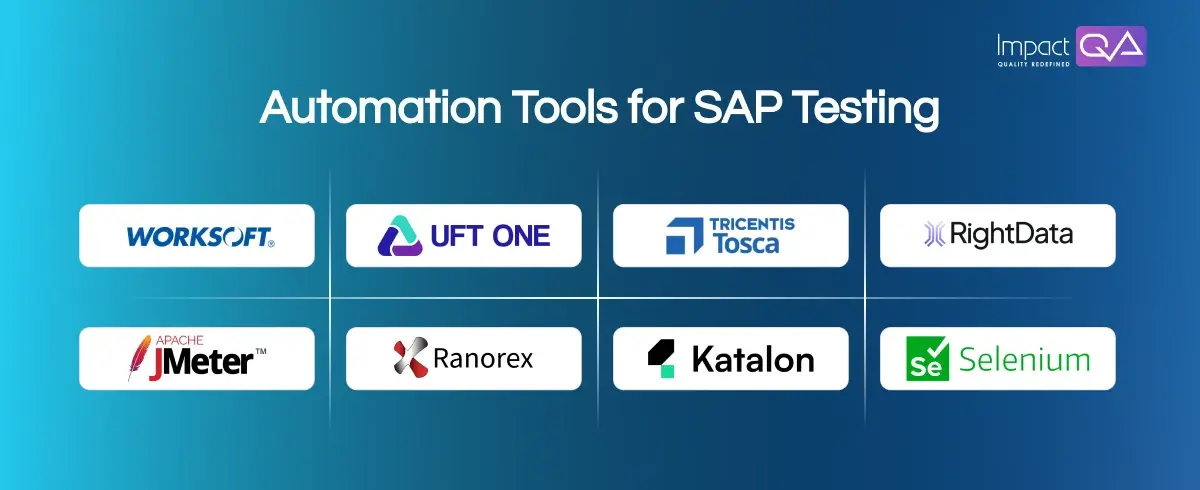
Here are some of the top tools widely used for automation testing in SAP environments, offering robust features to meet the unique demands of SAP applications.
1. Worksoft Certify
Worksoft Certify is designed specifically for SAP and other ERP applications, making it a powerful choice for automating business process testing. It enables users to create and execute complex test scenarios without writing code, streamlining the process for QA teams.
Feature Highlights:
- Intuitive interface allowing non-technical users to automate testing with ease.
- Comprehensive test coverage across SAP modules and third-party applications.
- Ability to record and replay workflows, enhancing test scenario creation.
- Integration with CI/CD pipelines for continuous testing.
- Real-time reporting and analytics for deeper insights into testing performance.
- Supports both functional and performance testing in SAP environments.
2. Katalon Studio
Katalon Studio is a versatile automation tool that is compatible with various testing environments, including SAP. Known for its user-friendly interface and flexible scripting options, Katalon Studio is ideal for teams seeking a cost-effective solution for end-to-end testing.
Feature Highlights:
- Offers scriptless test creation as well as advanced scripting options for customization.
- Seamless integration with SAP applications and other enterprise tools.
- Supports Web, API, and mobile testing for complete test coverage.
- Built-in test analytics and reporting dashboard for monitoring test progress.
- Reusable test artifacts streamline testing across multiple projects.
- Integration with CI/CD tools for automated deployment testing.
3. Tricentis Tosca
Tricentis Tosca is a robust test automation platform widely recognized for its model-based approach. With its comprehensive SAP testing capabilities, Tosca enables teams to build resilient, scalable test cases that adapt to changes in SAP applications.
Feature Highlights:
- Model-based testing approach simplifies test case maintenance.
- High reusability of test cases, reducing setup time for subsequent tests.
- Broad SAP module support for end-to-end business process validation.
- AI-driven self-healing capabilities that minimize test maintenance efforts.
- Real-time reporting and dashboard for tracking test progress.
- Integration with SAP Solution Manager for enhanced test management.
4. Micro Focus UFT One
Micro Focus UFT (Unified Functional Testing) One is a comprehensive tool that supports SAP testing across various environments. Known for its strong object recognition capabilities, UFT One allows QA teams to automate complex SAP workflows and applications efficiently.
Feature Highlights:
- Robust object recognition enhances testing accuracy and reliability.
- Support for both functional and regression testing.
- Integration with SAP GUI and web-based SAP applications.
- Cross-platform compatibility for diverse testing environments.
- Detailed reporting tools provide visibility into test results.
- Integration with CI/CD tools for continuous testing.
5. Ranorex
Ranorex offers a user-friendly solution for SAP testing with its intuitive interface and code-free automation capabilities. With support for desktop, web, and mobile applications, Ranorex is an all-in-one solution for comprehensive SAP testing needs.
Feature Highlights:
- Drag-and-drop interface makes test creation accessible for beginners.
- Supports cross-browser and cross-platform testing.
- Detailed reporting and test analytics for tracking test performance.
- Reusable test modules to save time on future test setups.
- Integration with various CI/CD tools for automated deployment testing.
- Strong SAP GUI integration for reliable test execution.
6. RightData
RightData is a robust test automation platform specifically designed for data validation and ETL testing in SAP environments. Known for its data-centric approach, RightData helps QA teams validate complex data flows. This ensures data accuracy and integrity across SAP and non-SAP applications.
Feature Highlights:
- End-to-end data validation with SAP connectors for seamless integration.
- Comprehensive support for data reconciliation and ETL testing.
- User-friendly interface enabling non-technical users to execute data validation tests.
- Real-time dashboards and reporting for immediate insights.
- Automation capabilities for data validation during data migration projects.
7. Selenium
Selenium is an open-source tool widely used for automating web applications, including SAP web interfaces. Its versatility and extensive browser compatibility make it an ideal choice for teams looking for customizable and cost-effective SAP testing solutions.
Feature Highlights:
- Cross-browser testing capabilities for comprehensive test coverage.
- Support for programming languages, including C#, Java, and Python.
- Integration with SAP Fiori applications and web-based SAP modules.
- Integration with CI/CD tools for continuous testing.
- Highly customizable, allowing advanced scripting for complex test scenarios.
8. JMeter
Apache JMeter is an open-source tool focused on performance and load testing, widely utilized for testing the resilience of SAP applications under load. JMeter’s extensive protocol support makes it a powerful choice for assessing the performance of SAP services.
Feature Highlights:
- Ability to simulate heavy load scenarios on SAP servers for performance benchmarking.
- Supports a wide range of protocols, including HTTP, SOAP, and JDBC, for versatile testing.
- Detailed performance metrics and analysis tools for insight into system behavior.
- Integration with CI/CD pipelines to enable automated load testing.
- Scalable for distributed testing across multiple machines.
Selecting the Right Tool for Your SAP Environment
Selecting the ideal SAP testing tool requires careful evaluation of your business’s objectives, budget, and technical setup. To make an informed choice, assess each tool based on factors like functionality, integration capabilities, and return on investment (ROI).
Consider the following steps when evaluating SAP testing tools:
1. Define the Business Case and Testing Requirements
- Assess if the tool aligns with your project’s specific testing needs.
- Identify which SAP areas need testing and estimate the testing duration.
2. Analyze Tool Capabilities and Costs
- Use a comparison framework, like the Pugh Matrix, to weigh the pros and cons of each tool based on your priorities.
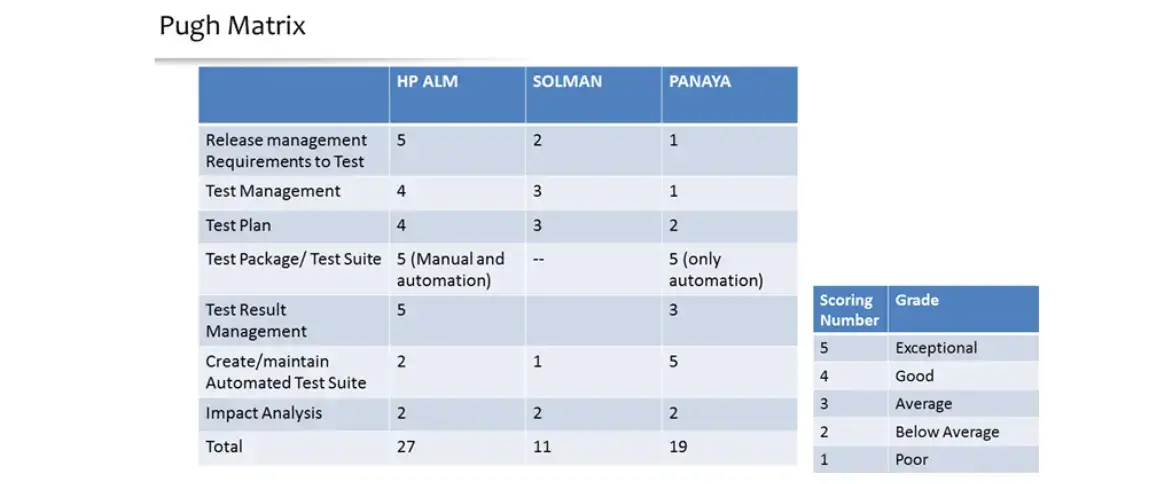
- Confirm that the tool’s features match your project requirements without exceeding the budget.
3. Calculate ROI Potential
- Estimate the tool’s ROI by considering factors like speed, ease of use, and time saved in test cycles.
4. Evaluate Compatibility with Existing Systems
- Ensure the tool integrates well with your current SAP and third-party systems to avoid workflow interruptions.
5. Check for Collaboration between Multiple Tools
- For broader testing coverage, determine if the tools you select can operate together effectively, enabling smooth data transfer.
6. Assess User Training Needs
- Some tools may demand extensive user training. Opt for a tool that your team can efficiently operate within the project timeline.
Overcoming Common Challenges in SAP Test Automation
Also Read: Common SAP Performance Challenges and How to Resolve Them
To address SAP’s unique testing challenges, prioritize tools with advanced capabilities like self-healing or model-based testing, which help manage SAP’s intricate business processes and dependencies. SAP tools should adapt to changes in scripts, reducing maintenance efforts while delivering thorough test coverage. Due to SAP’s extensive integrations with third-party systems and APIs, tools with strong integration testing capabilities are essential to detect potential conflicts between internal and external components. Effective test data management (TDM) and robust security features further enhance workflow efficiency and protect data privacy.
Ideal SAP testing tools should include the following:
- Broad support across various application types (web, mobile, desktop)
- Compatibility with diverse browsers, operating systems, and devices
- Integration of interconnected testing activities for a seamless testing lifecycle
- Options for both low-code and high-code testing to accelerate test creation
- Comprehensive integration testing support for SAP’s connected ecosystem
- Adherence to stringent security standards and data privacy compliance
- Compatibility with current technology stacks, ensuring seamless integrations
- Scalability to support growing business needs
- AI/ML capabilities for advanced, adaptive testing
Best Practices for Maximizing Automation Testing Efficiency in SAP
- Modularize Test Cases: Breaking down test cases into modular components increases reusability and simplifies test maintenance, especially when updates occur.
- Leverage Data-Driven Testing: Create data-driven tests to validate SAP functions with different input sets, reducing the need to create separate test cases for each scenario.
- Integrate with CI/CD Pipelines: Continuous integration and delivery enable teams to run automated tests as part of the deployment process, ensuring that changes are thoroughly validated before reaching production.
- Regularly Review and Update Test Cases: Establish a process to review and update test cases regularly. This approach ensures they stay aligned with the current SAP configuration.
- Use Detailed Reporting and Analytics: Leverage the reporting features of your chosen tool to gain actionable insights, allowing for data-driven improvements in the testing process.
Conclusion
An effective SAP automation testing strategy starts with choosing the right tool. Each tool has its strengths, and the choice should reflect both the technical needs of your SAP environment and the capabilities of your testing team. A strong automation testing strategy in SAP environments empowers organizations to release updates confidently, knowing that each function has been meticulously tested. The right tool enables teams to move faster and ultimately contribute to a more resilient SAP system that meets the current business demands.
ImpactQA specializes in automating testing processes for SAP environments. By leveraging advanced automation tools, ImpactQA helps organizations minimize risks associated with software updates and maintain high-quality standards across their SAP applications.
Share this post


Related Posts
Our Case Studies